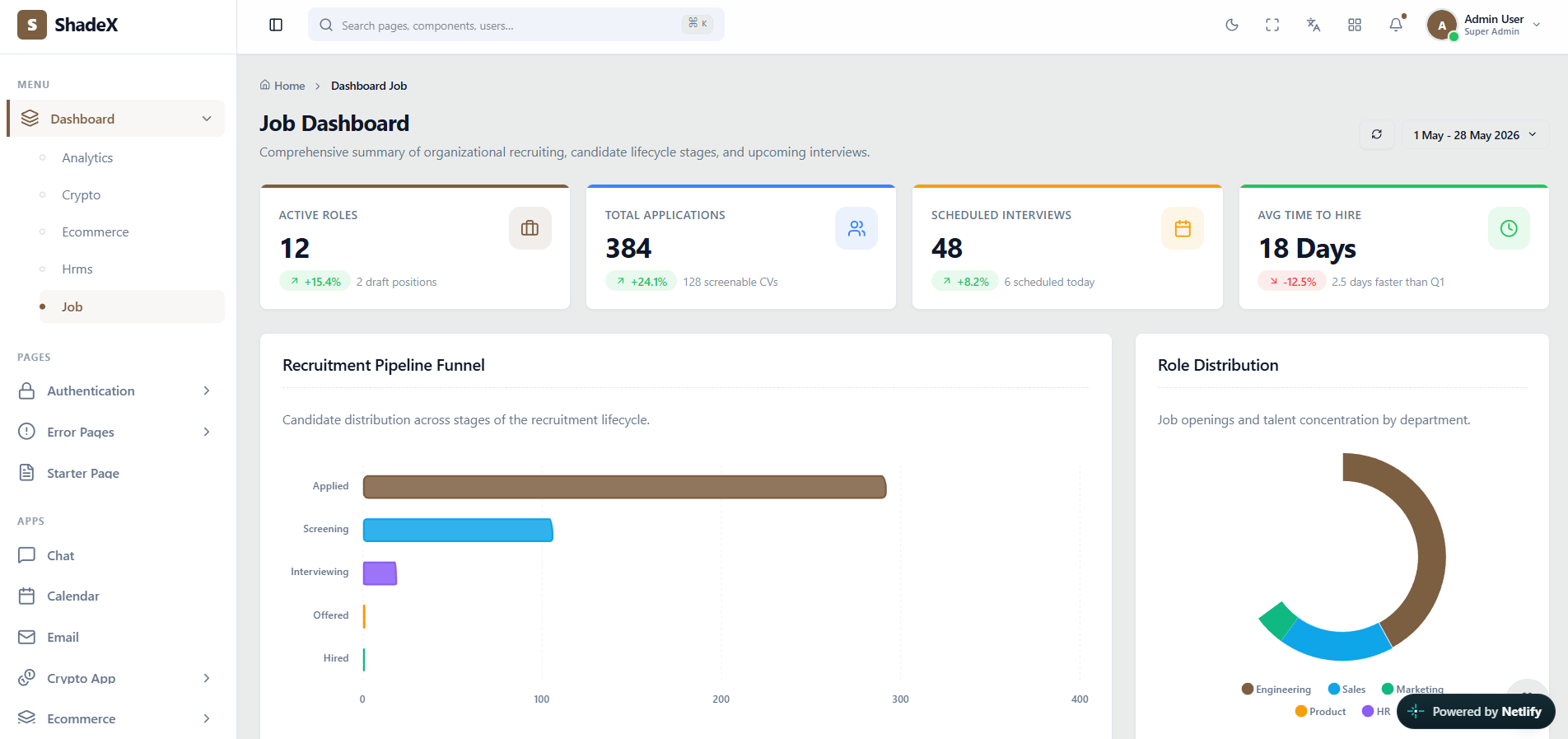
 Actual ShadeX Job recruitment dashboard interface screenshot — click to explore the online demo
What makes this admin interface useful?
Recruitment workflows move applicants through multiple stages. A purpose-built visual hierarchy helps teams understand screening volume, interview load and hiring conversion without losing access to detailed candidate interfaces.
ShadeX uses React 18, Vite, Tailwind CSS, shadcn/ui components based on Radix primitives, React Router v7 and Zustand. Developers can adapt its presentation to their own data models, branding and workflows. This showcase explains what you can explore in the template; it does not replace the live demo or documentation.
Key screens and UI patterns
- Active role and application overview cards.
- Recruitment pipeline funnels and role distribution visualizations.
- Candidate lists, applications and job editing interfaces.
- Interview scheduler, referral and recruiter analytics views.
Explore the live preview to evaluate content density, filtering UI, responsiveness, charts and navigation patterns. The full item listing identifies which screens ship with ShadeX.
Where can you use this template?
Applicant tracking system frontend
Adapt the ShadeX layouts, components and interaction patterns to your project requirements.
Recruiter team workspace
Adapt the ShadeX layouts, components and interaction patterns to your project requirements.
Job board back-office administration UI
Adapt the ShadeX layouts, components and interaction patterns to your project requirements.
Customizing ShadeX for your project
Start with the screen and layout
Compare vertical, horizontal and boxed navigation variants. Map your application modules to the sidebar or header structure, then remove screens you do not need. Choose one of the supplied Light, Dark or Galaxy themes to keep your interface consistent as it grows.
Connect your application services
Replace example values with your own API data and validation logic. Use the included form, table, chart, dialog and notification patterns to build the experiences required by your users. International projects can adapt the built-in localization architecture for English, Hindi, Arabic and Italian.
Scope and implementation expectations
Actual job posting, applicant storage and interview integrations require additional services. Always check official included-file details, software versions, license requirements and support information on ThemeForest before purchasing.
Frequently asked questions
What is included in the job recruitment dashboard?+
This preview covers active role and application overview cards, recruitment pipeline funnels and role distribution visualizations, candidate lists, applications and job editing interfaces. The actual ShadeX demo and documentation show specific implementations.
Who can use this interface?+
HR recruitment and ATS product teams can use the templates as a frontend starting point for their own systems.
Is ShadeX a working backend application?+
No. ShadeX is a React admin interface template. Connect your own backend, APIs and storage for production business operations.
Can I preview the actual screens?+
Yes. Open the official ShadeX live demo to explore the included interface and behavior before purchasing.
Does it include RTL and dark mode?+
Yes. The official listing describes RTL support plus Light, Dark and Galaxy themes.
Where can I buy ShadeX?+
Purchase and verify current licensing terms on the official ShadeX item page on ThemeForest.